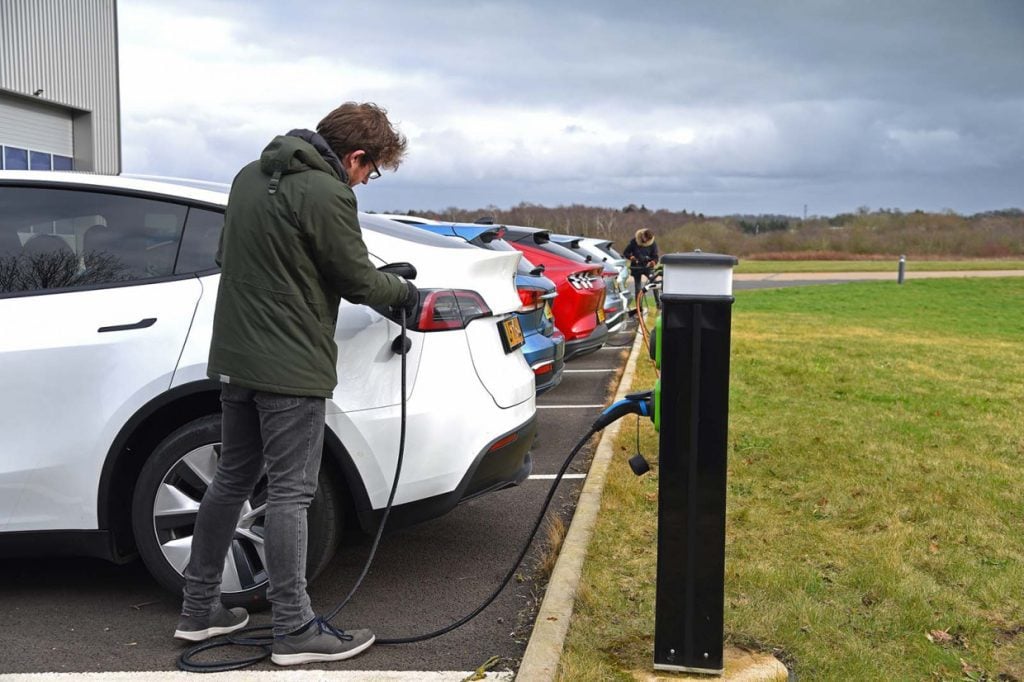
Running out of battery in your Tesla can feel stressful, especially if you’re far from a charging station. But knowing what to do in this situation can save you time and hassle. Understanding your options helps you stay calm and get back on the road quickly.
Whether you’re on a long trip or just commuting, it’s important to recognize the warning signs and have a plan ready. From using Tesla’s built-in features to finding nearby charging solutions, you’ve got more control than you might think. Let’s explore practical steps to handle a dead battery and keep your Tesla journey smooth.
Understanding Tesla Battery Limitations
Knowing Tesla’s battery constraints helps you prevent unexpected shutdowns. You can extend your trip’s reliability by grasping how Tesla batteries operate and why they deplete.
How Tesla Battery Range Works
Tesla batteries report range based on current charge, driving style, terrain, and temperature. Expect displayed range to change dynamically. You receive estimated miles left rather than a fixed value. Battery management systems optimize energy use, yet aggressive acceleration, high speeds, or cold weather reduce range significantly. Regenerative braking recaptures energy but varies with driving conditions. Range estimates adjust as you drive, reflecting real-time consumption, so checking the dashboard often keeps range awareness accurate.
Common Causes of Running Out of Battery
You run out of battery mainly due to misjudging range limits, unexpected detours, or extreme weather. High-speed driving and heavy use of climate control drain battery faster. Leaving charging opportunities unused for long periods also increases risk. Battery degradation over time lowers maximum capacity, making range shorter than when new. Forgetting to precondition the battery in cold climates reduces available charge temporarily. Recognizing these causes helps you plan charging stops better and avoid a complete power loss.
Immediate Steps to Take If Tesla Runs Out of Battery
Running out of battery in your Tesla requires quick, calm action to ensure safety and minimize inconvenience. Follow these steps to handle the situation efficiently.
Activating Tesla’s Emergency Features
Engage your Tesla’s Low Power Mode to conserve remaining energy if your battery is critically low but hasn’t fully depleted. Use the car’s touchscreen to locate the nearest Supercharger or destination charger through the navigation system’s energy app. Activate the hazard lights immediately to alert other drivers. If your battery completely dies, the Tesla app enables you to send a notification or request roadside assistance directly. Utilize the “Power Save” setting if available, which limits non-essential functions to extend battery life during critical moments.
Safety Measures to Follow on the Road
Pull over to a safe location away from traffic, such as a shoulder or designated emergency stopping area. Turn on hazard lights to increase visibility especially during low light or adverse weather. Avoid attempting to restart your Tesla repeatedly to prevent battery or system damage. If on a busy road, remain inside the car with seatbelts fastened until help arrives to reduce risk. Contact Tesla roadside assistance or an authorized towing service equipped to handle electric vehicles for battery recharge or vehicle transport.
How to Recharge Your Tesla Without a Charging Station
Recharging your Tesla without a charging station requires alternative solutions designed for emergency or remote situations. Choose the option best suited to your location and urgency.
Using a Mobile Charging Solution
Mobile charging solutions offer portable power to recharge Tesla batteries when stationary charging points are unavailable. Consider carrying a Tesla Mobile Connector, which can plug into a standard 120V or 240V outlet, although charging speed varies with voltage—120V charges at about 3-5 miles of range per hour, while 240V provides 20-30 miles per hour. Mobile battery packs or third-party mobile EV chargers exist but require compatibility confirmation and may deliver slower charging. Use a generator with a compatible adapter only if it meets Tesla’s charging specifications to avoid electrical damage. Always park the car in a safe, ventilated area during mobile recharging.
Calling for Roadside Assistance
Roadside assistance represents the fastest way to recharge your Tesla if mobile charging solutions aren’t viable. Contact Tesla Roadside Assistance directly through the Tesla app or customer service line to arrange for a mobile charger delivery or vehicle towing to the nearest charging station. Certified Tesla technicians or authorized third-party providers perform these services, ensuring battery and vehicle safety. Request clear information on expected wait times and service options available in your area. Prepare your vehicle’s location details and current battery status to expedite assistance.
Preventative Measures to Avoid Running Out of Battery
Preventing battery depletion starts with proactive strategies. Monitoring your Tesla’s battery levels and planning charging stops ensures you maintain adequate range throughout your trips.
Monitoring Battery Levels and Range
Regularly check your Tesla’s battery percentage and estimated range using the dashboard display or Tesla app. Adjust driving habits to conserve energy when the battery reaches 20% or below. Use the energy consumption graph to identify energy-intensive behaviors, like rapid acceleration or high-speed driving, and moderate them. Enable alerts for low battery levels to receive timely warnings. Stay aware that range estimations vary with temperature, terrain, and accessory use, so treat the displayed range as a guide rather than a guarantee.
Planning Longer Trips with Charging Stops
Map out charging stops using Tesla’s Trip Planner or third-party apps like PlugShare before starting long journeys. Include buffer time at charging stations to account for unexpected delays or detours. Prioritize Supercharger locations along your route to minimize wait times. Consider charge times at each stop, balancing top-up speed and overall travel time. Factor in external conditions, such as extreme weather, which reduce range, and increase charging frequency if needed. Always carry your Tesla Mobile Connector and ensure you have access to compatible outlets for emergency charging if Superchargers are unavailable.
Conclusion
Running out of battery in your Tesla doesn’t have to turn into a crisis. Staying calm and knowing the right steps to take can make all the difference. By using Tesla’s built-in features, reaching out for assistance, and having a backup plan like mobile charging options, you can handle low battery situations confidently.
Remember, preparation is your best defense. Keeping an eye on your battery levels, planning your routes, and carrying essential charging gear will help you avoid unexpected stops. With the right mindset and tools, you’ll keep your Tesla journey smooth and worry-free.

Certification: BSc in Mechanical Engineering
Education: Mechanical engineer
Lives In: 539 W Commerce St, Dallas, TX 75208, USA
Md Amir is an auto mechanic student and writer with over half a decade of experience in the automotive field. He has worked with top automotive brands such as Lexus, Quantum, and also owns two automotive blogs autocarneed.com and taxiwiz.com.