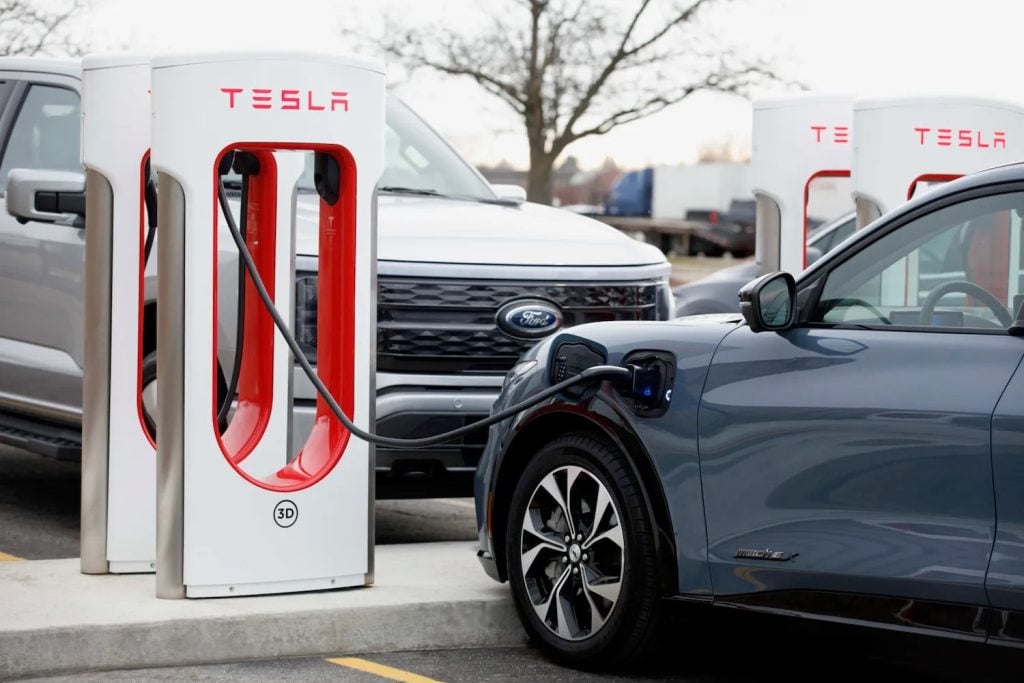
Charging your Tesla quickly and efficiently is key to getting back on the road without long waits. Understanding how long it takes to supercharge your Tesla helps you plan trips better and avoid unexpected delays.
Supercharging times vary depending on your Tesla model, battery size, and the Supercharger station’s power output. Whether you’re on a road trip or just topping up, knowing what to expect can save you time and keep your journey smooth.
In this article, you’ll discover the typical supercharging times and tips to maximize your charging speed. Get ready to charge smarter and enjoy the full benefits of Tesla’s fast-charging network.
Understanding Tesla Supercharging
Tesla Supercharging provides a fast and efficient way to recharge your Tesla’s battery on the go. Knowing how this technology works helps you optimize your charging stops and reduce downtime.
What Is Tesla Supercharging?
Tesla Supercharging refers to a network of high-power charging stations designed specifically for Tesla vehicles. These stations deliver a much higher charging rate than standard chargers, allowing your battery to regain significant range in a short time. Superchargers connect directly to your car’s battery and provide up to 250 kW of power, depending on the station and your Tesla model.
How Tesla Superchargers Work
Tesla Superchargers use direct current (DC) to bypass the onboard charger in your car, delivering electricity straight to the battery. This method speeds up charging by reducing conversion losses that happen with alternating current (AC) chargers. The Supercharger network automatically communicates with your vehicle to manage charging speed and battery temperature, maximizing efficiency and safety. Power output starts high and then tapers off as the battery reaches full capacity, which prevents overheating and battery degradation.
Factors Affecting Supercharging Time
Several factors influence how long it takes to supercharge your Tesla. Understanding these elements helps you plan your charging stops effectively and reduces downtime.
Battery Level and Size
Charging speed varies inversely with your battery’s state of charge. You charge faster when your battery is below 20% but slower as it approaches full capacity to protect battery health. Larger battery packs, like those in Model S and Model X, generally take longer to reach full charge than smaller packs found in Model 3 or Model Y.
Charger Power and Location
Supercharger stations differ in maximum power output, typically ranging from 72 kW to 250 kW. Fastest charging occurs at V3 Superchargers delivering up to 250 kW. Station location also matters; urban stations may experience more traffic, causing slower charging due to shared power among vehicles.
Temperature and Environmental Conditions
Battery temperature significantly affects charging speed. Cold batteries charge slowly until they heat up, which Tesla manages by preconditioning the battery en route. Extremely hot conditions can trigger cooling systems to prevent overheating, potentially reducing charging speed temporarily. Charging in moderate temperatures between 68°F and 77°F (20°C to 25°C) offers optimal performance.
Typical Supercharging Times
Typical supercharging times vary depending on your Tesla model, battery capacity, and Supercharger version. Understanding these durations helps you plan charging stops efficiently during your trips.
Time to Charge From 0% to 80%
Charging from 0% to 80% usually takes between 20 and 40 minutes. The fastest charging occurs when the battery is below 20% state of charge. A Tesla Model 3 or Model Y with a smaller battery can reach 80% in roughly 20 to 25 minutes on a V3 Supercharger delivering up to 250 kW. Larger battery packs, like those in Model S or Model X, may take closer to 30 to 40 minutes under similar conditions. This phase takes less time because the charging rate remains near the maximum power output during this range.
Why Charging Slows After 80%
Charging slows significantly after the 80% mark to protect the battery and extend its lifespan. As the battery approaches full capacity, the charging system reduces power to prevent overheating and avoid battery degradation. You might notice charging dropping below 50 kW or even lower as you get closer to 100%. This tapering phase often takes as long or longer than the fast-charging phase, meaning topping off from 80% to 100% may add 20 to 40 minutes depending on ambient conditions and battery temperature. Planning your stops around this slowdown saves time by limiting charging sessions to 80% when possible.
Tips to Optimize Supercharging Time
Efficiently managing your Tesla’s supercharging sessions improves your travel experience and reduces downtime. Applying specific strategies helps you maximize charging speed while preserving battery health.
Planning Your Charging Stops
Plan stops at V3 Supercharger stations when possible, as they offer peak power output up to 250 kW, cutting charging time by up to 25% compared to older stations. Target charging from around 10% to 80% state of charge since this range delivers the fastest charging rates. Avoid waiting to charge beyond 80% because the charging rate slows significantly to protect battery longevity. Use Tesla’s in-car navigation to locate optimal Supercharger stations based on your route, enabling precise stops limited to the fastest charging windows. Schedule shorter, frequent stops rather than long ones to maintain a higher average charging speed throughout your trip.
Maintaining Battery Health
Charge your Tesla in moderate ambient temperatures between 68°F and 77°F (20°C to 25°C) to ensure rapid battery warming and avoid triggering cooling systems that reduce power output. Preconditioning the battery by starting the charge session shortly before arriving at a Supercharger allows the battery management system to optimize temperature, enhancing charging speed. Limit frequent full charges to 100% except when necessary for maximum range; routinely charging up to 80% reduces battery degradation and prevents slow tapering phases. Avoid letting your battery drop to extremely low states before charging to minimize stress, which maintains faster charging capabilities over time.
Conclusion
Knowing how long it takes to supercharge your Tesla helps you plan your trips smarter and spend less time waiting. By focusing on charging between 10% and 80%, choosing V3 Superchargers, and keeping your battery in the ideal temperature range, you can make the most of Tesla’s fast-charging network.
With these insights, you’re better equipped to optimize your charging stops and maintain your battery’s health. That means more efficient travel and a smoother driving experience every time you hit the road.

Certification: BSc in Mechanical Engineering
Education: Mechanical engineer
Lives In: 539 W Commerce St, Dallas, TX 75208, USA
Md Amir is an auto mechanic student and writer with over half a decade of experience in the automotive field. He has worked with top automotive brands such as Lexus, Quantum, and also owns two automotive blogs autocarneed.com and taxiwiz.com.