The biggest mistake buyers make when shopping for an auto entertainment system is confusing screen size with system capability. A massive 15.6-inch rear headrest monitor is fantastic for back-seat passengers on a long road trip, but it does nothing for the driver who needs navigation, hands-free calling, and quick access to music. Meanwhile, a premium 10.1-inch floating dash unit like the Pioneer DMH-WT8600NEX delivers seamless smartphone integration and crisp HD playback right at the wheel. The right choice depends entirely on who the system serves — the driver or the passengers.
I’m Amir — the founder and writer behind Four Wheel Ask. I’ve spent years analyzing hundreds of car audio and entertainment specifications, comparing processor speeds, screen resolutions, operating system versions, connectivity protocols, and real-world owner feedback across every major brand on the market.
Whether you need a wireless Apple CarPlay upgrade for your daily commute or a full Android tablet setup for the kids in the third row, this guide breaks down the top nine options available today to help you find the best auto entertainment system for your specific vehicle and use case.
How To Choose The Best Auto Entertainment System
Selecting the right auto entertainment system means balancing screen quality, processing power, operating system maturity, and physical form factor. A system that handles streaming without buffering, runs the latest apps, and integrates cleanly with your car’s interior will deliver years of satisfying use. Here are the three specs that matter most.
Screen Resolution and Panel Type
The display is your primary interface. Look for at least 1920×1080 Full HD resolution on any modern unit — IPS panels provide wider viewing angles and better color reproduction than basic TN or LED-backlit panels. Budget-friendly systems often use 1024×600 screens that look noticeably pixelated when displaying maps or streaming video. A 1920×720 ultra-wide format works well for dash units, letting you run split-screen navigation and music apps simultaneously without clipping critical information.
Operating System and RAM
Systems running Android 13 or newer with at least 4GB of RAM can handle multitasking between YouTube, Google Maps, and messaging apps without lag. Units with only 2GB of RAM and older Android 11 or 12 builds are prone to stuttering when loading streaming apps or performing wireless screen mirroring. For rear-seat entertainment, the Android 13 platform with OTA update support ensures the system stays compatible with future app requirements. Dash receivers running proprietary OS platforms like Pioneer or JVC rely on smartphone mirroring for app access, so the underlying hardware specs matter less.
Connectivity and Audio Output
Beyond the screen, consider how the system connects to your car and your passengers. Wireless Apple CarPlay and Android Auto are non-negotiable for dash units — wired-only units feel dated immediately. For headrest monitors, HDMI input is essential for connecting game consoles or streaming sticks. Audio output flexibility is equally important: built-in speakers suffice for casual viewing, but an FM transmitter or AUX output that routes sound through the car’s factory speakers delivers far better audio quality. Units that support dual Bluetooth headphone pairing let rear passengers listen privately without disturbing the driver.
Quick Comparison
On smaller screens, swipe sideways to see the full table.
| Model | Category | Best For | Key Spec | Amazon |
|---|---|---|---|---|
| Leadtree 11.5″ | Dash Monitor | Mid-range value with Android 15 | 1920×720, Android 15, 2GB/32GB | Amazon |
| Pioneer DMH-WT3800NEX | Dash Receiver | Driver-focused premium integration | 9″ Capacitive, Wireless CarPlay | Amazon |
| WONNIE 13.3″ | Headrest Monitor | Back-seat entertainment with 4K | 1920×1200, Android 13, 4GB/64GB | Amazon |
| Seventour 14″ | Headrest Monitor | Largest screen with 2240×1400 | 2240×1400, Android 13, 4GB/64GB | Amazon |
| Seventour 15.6″ 2GB | Headrest Monitor | Large display for budget buyers | 1920×1080, Android 13, 2GB/32GB | Amazon |
| Seventour 15.6″ 2GB (Alt) | Headrest Monitor | Android 11 alternative | 1920×1080, Android 11, 2GB/32GB | Amazon |
| Seventour 15.6″ 4GB | Headrest Monitor | Best headrest multitasking | 1920×1080, Android 13, 4GB/64GB | Amazon |
| JVC KW-Z1000W | Dash Receiver | Audio-focused dash upgrade | 10.1″ HD, Wireless CarPlay, 13-band EQ | Amazon |
| Pioneer DMH-WT8600NEX | Dash Receiver | Flagship driver experience | 10.1″ HD, Alexa Built-in, Split-Screen | Amazon |
In‑Depth Reviews
1. JVC KW-Z1000W Bluetooth Car Stereo Receiver

This JVC receiver sits at the sweet spot of the market by combining a large 10.1-inch floating HD capacitive touchscreen with the proven reliability of a major audio brand. The display tilts from -10° to +45°, allowing you to angle it away from glare in any vehicle cabin — a detail you won’t find on most headrest monitors. Wireless Apple CarPlay and Android Auto are fully supported, and the connection is exceptionally stable compared to some of the Chinese Android units that can drop out on certain phone OS versions.
The audio side is where this unit truly differentiates itself. With a 13-band equalizer, digital time alignment, and 5-volt preamp outputs on all six channels, this receiver provides the headroom serious audiophiles need for an external amplifier setup. K2 technology upscales compressed digital audio, restoring high-frequency detail that gets lost in MP3 and streaming files. Owners upgrading from factory Toyota or Honda systems consistently report a dramatic improvement in soundstage clarity and bass response.
On the downside, the chassis is deeper than many standard double-DIN receivers, so you will need to verify dashboard depth before purchase. A few users report that the phone call microphone can produce an echo on the caller’s end. Still, for a driver who wants premium audio tuning, a large clear display, and modern smartphone integration, this JVC delivers the best balance of features and build quality in this lineup.
What works
- Excellent 13-band EQ with time alignment for precise sound tuning
- Manually tiltable screen eliminates dashboard glare
- Wireless CarPlay connection is fast and dependable
What doesn’t
- Deep chassis may not fit shallow dash pockets
- Microphone quality can cause echo during calls
- Older model lacks HDMI input found on newer units
2. Pioneer DMH-WT8600NEX 10.1″ Capacitive HD Screen

This is Pioneer’s flagship floating-screen receiver, and it justifies its position at the top of the price ladder with split-screen functionality that lets you run Apple CarPlay navigation alongside the receiver’s native audio source simultaneously. The 10.1-inch capacitive display is one of the sharpest available at this screen size, with wide viewing angles and excellent brightness that remains readable even under direct sunlight. Amazon Alexa is baked directly into the unit via the Vozsis app, enabling hands-free control of smart home devices, music playback, and weather lookups while driving.
Audio fidelity is exceptional thanks to the high-voltage 4-volt RCA preouts and full FLAC playback support. The receiver is designed to work with the iDataLink Maestro module, which retains factory features like steering wheel controls, backup camera guidelines, and vehicle telemetry in many modern cars. Wireless Apple CarPlay connects within seconds of starting the vehicle, and the Bluetooth dual-phone connection is a useful convenience for shared vehicles.
The single biggest limitation is the price — this unit requires a substantial investment that is only justified if you need every available feature and plan to keep your vehicle for several years. The installation is also more involved than a typical receiver swap due to the size of the floating display. But if you want the absolute best driver-focused auto entertainment system money can buy, this Pioneer sets the benchmark.
What works
- Split-screen mode shows CarPlay and native sources together
- Built-in Amazon Alexa with voice control
- FLAC support and 4-volt preouts for high-end audio builds
What doesn’t
- Very high price compared to similar-sized alternatives
- Installation complexity is higher than average
- No HDMI input for external devices
3. Seventour 15.6″ 4K Android.13 Car TV Headrest Monitor (4GB+64GB)
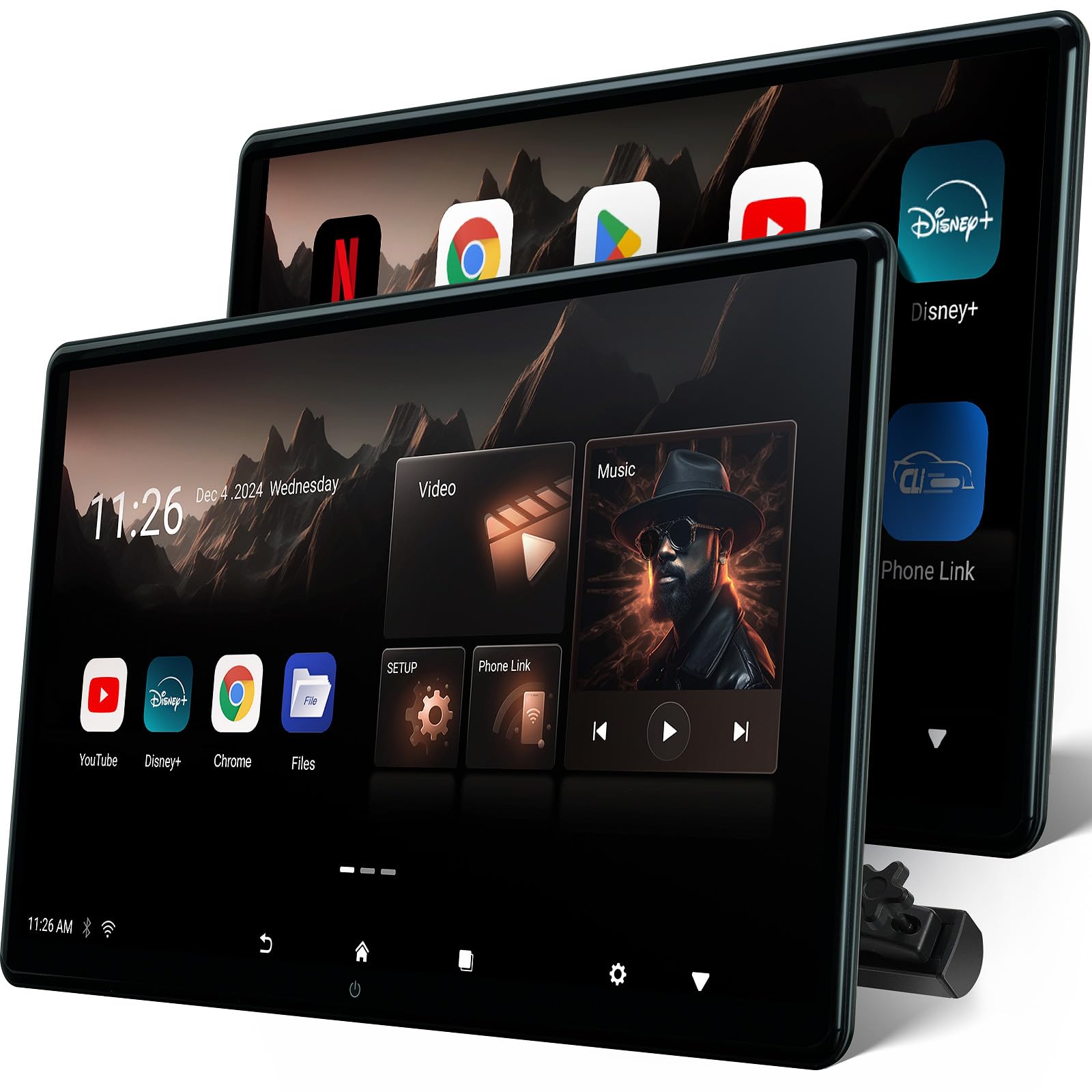
Among the large-format headrest monitors in this lineup, the Seventour 4GB/64GB variant offers the best real-world app performance because the 4GB of RAM handles multitasking without the lag or freezing that plagues the 2GB versions. Running Android 13 with OTA update support ensures you stay current with app compatibility for years. The 15.6-inch IPS panel displays content at 1920×1080 and decodes 4K video files natively, making this a true home-theater-like experience for rear passengers.
The mounting bracket is universal, fitting roughly 98% of headrest posts with a solid metal construction that doesn’t wobble over rough roads. Dual power adapters are included — one for the car’s 12V socket and one for home use, effectively making this a portable Android tablet when removed from the car. HDMI input and output ports allow connection of a PS5 or Fire TV Stick, and you can daisy-chain two monitors via HDMI to play the same content on both screens simultaneously, which is a lifesaver for parents with multiple kids.
The main trade-off is that the Android ecosystem on these units requires some technical patience. You’ll need to sideload certain apps via APKPure rather than Google Play, and the MyCar Link app for phone mirroring can be finicky to set up initially. Additionally, the 64GB storage fills up quickly if you download movies locally. But for raw processing power and screen real estate, this Seventour is the top performer in the headrest category.
What works
- 4GB RAM eliminates lag during streaming and multitasking
- 15.6-inch 1080p IPS screen with 4K decoding
- Dual HDMI ports support game consoles and monitor linking
What doesn’t
- App installation often requires sideloading via APKPure
- 64GB storage fills quickly with downloaded media
- Initial phone mirroring setup can be tricky
4. Seventour 14 inch 4K Android.13 Car TV Headrest Monitor
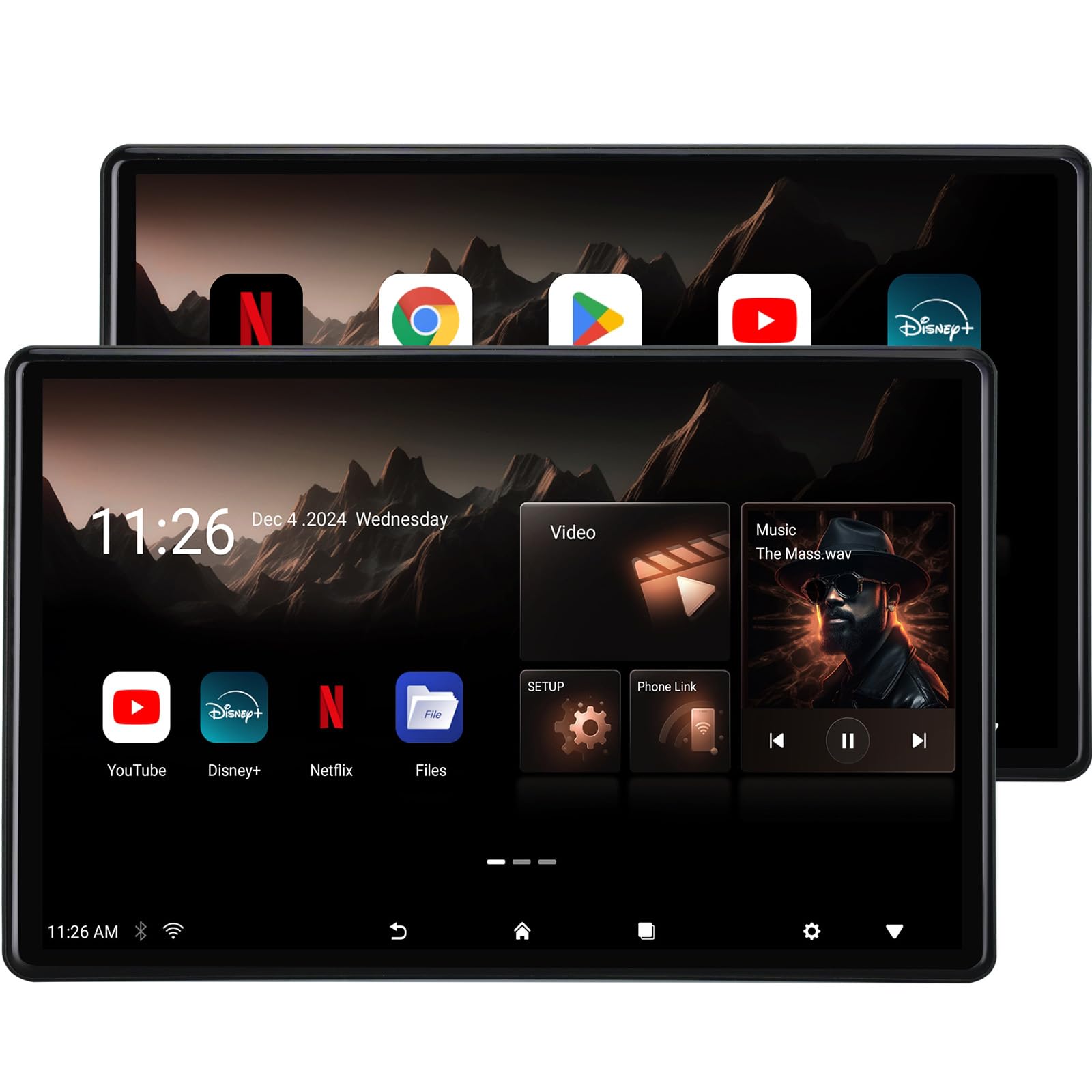
What sets this 14-inch Seventour apart from the 15.6-inch models is the higher native resolution of 2240×1400, which produces noticeably sharper text and images compared to the standard 1920×1080 panels. The IPS technology delivers vibrant colors and wide viewing angles, so passengers sitting off to the side still see a clear picture. This resolution matters most when displaying detailed maps or streaming high-bitrate video content — compression artifacts are far less visible than on lower-resolution screens.
The Android 13 OS performs reliably with the 4GB RAM and 64GB storage configuration, and the unit supports both 5G and 2.4GHz WiFi bands for faster hotspot connections. The MyCar Link app provides screen mirroring and remote control from the driver’s seat, so parents can start a movie for the kids without reaching backward. The built-in speakers are surprisingly robust for a headrest unit, producing clear dialogue without the tinny distortion common in lower-end models.
The 14-inch size is a genuine advantage for vehicles where a 15.6-inch screen would block rear visibility or feel oversized in the cabin. However, the lack of an OTA update confirmation on this specific model (compared to the 15.6-inch version) means you may need to manually check for firmware updates.
What works
- 2240×1400 resolution is the sharpest in this class
- 4GB RAM ensures smooth app switching
- Good built-in speakers for a headrest unit
What doesn’t
- OTA update process is unclear compared to sibling models
- 14-inch size may still feel large in smaller cars
- Requires mobile hotspot for full streaming functionality
5. Leadtree 11.5 Inch Wireless CarPlay Screen
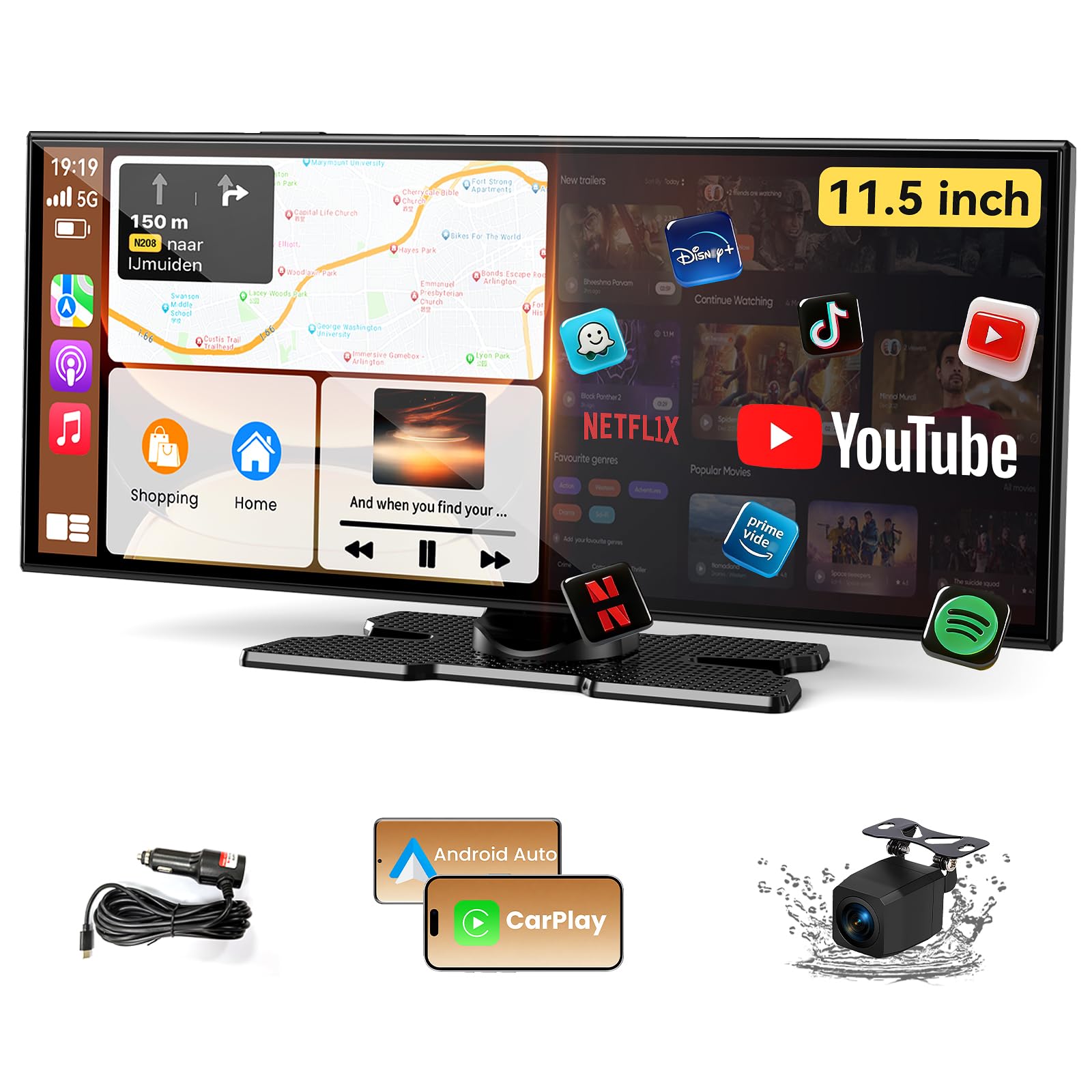
The Leadtree 11.5-inch dash monitor punches well above its price bracket by running Android 15 — the most current OS version in this entire lineup — on a 1920×720 ultra-wide display. This means you get the latest app compatibility, security patches, and UI smoothness without paying flagship prices. The 2GB RAM and 32GB storage are adequate for running YouTube, Netflix, and navigation apps simultaneously, and the dual-screen display mode lets you watch a video while keeping maps visible on the other half of the screen.
Wireless Apple CarPlay and Android Auto both work reliably, and the unit includes a 1080p waterproof backup camera that provides a clear rear view in rain or fog. The audio output options are flexible: you can use the built-in speakers, connect via AUX to the factory stereo, or use Bluetooth. The quad-core processor handles the interface with minimal lag, and the 12-32V voltage range means it works in both cars and trucks without an additional voltage converter.
The biggest compromises here are the relatively low 2GB RAM — which can cause stuttering if you aggressively multitask — and the need to sideload certain apps from the EVELink app for Android 16 phone compatibility. The mounting adhesive can also weaken in extreme heat. But for a sub- investment that transforms an older car with wireless CarPlay, Android Auto, and a modern interface, the Leadtree is the standout value proposition in this guide.
What works
- Android 15 is the newest OS in this roundup
- Ultra-wide 1920×720 display with dual-screen mode
- Includes 1080p waterproof backup camera
What doesn’t
- 2GB RAM limits heavy multitasking
- Android 16 phones require workaround app for connection
- Adhesive mount may loosen in hot climates
6. Pioneer DMH-WT3800NEX 9″ Capacitive Touchscreen

The DMH-WT3800NEX is essentially a slightly smaller, more affordable version of the flagship WT8600NEX, sharing the same core software and wireless connectivity features. The 9-inch capacitive touchscreen uses Pioneer’s exclusive Light and Dark Mode interface, which automatically switches the display theme based on ambient light or headlight status — a clever feature that reduces eye strain during night driving. The floating display design lets you adjust the viewing angle to combat dashboard reflections.
Bluetooth performance is rock solid, supporting hands-free calling and audio streaming with dual phone pairing. The split-screen mode works identically to the higher-end model, allowing you to view Apple CarPlay navigation alongside the native radio or USB music source. HD Radio is built in, providing clearer FM reception than standard analog tuners. The unit is also SiriusXM-ready if you subscribe to satellite radio.
The main difference from the WT8600NEX is the absence of built-in Amazon Alexa and slightly lower preamp voltage at 2 volts versus 4 volts. For most drivers who do not need voice control of smart home devices and are not building a competition-grade audio system, this Pioneer offers 90% of the flagship experience at a more accessible price point. The audio quality is still excellent, and the wireless CarPlay connection is one of the most stable on the market.
What works
- Auto Light/Dark Mode reduces night glare
- Stable wireless CarPlay and dual phone Bluetooth
- Split-screen for navigation and music simultaneously
What doesn’t
- No built-in Alexa voice assistant
- 2-volt preouts limit external amplifier performance
- Screen size is smaller than some competitors at 9 inches
7. WONNIE 13.3″ Car TV Headrest Monitor
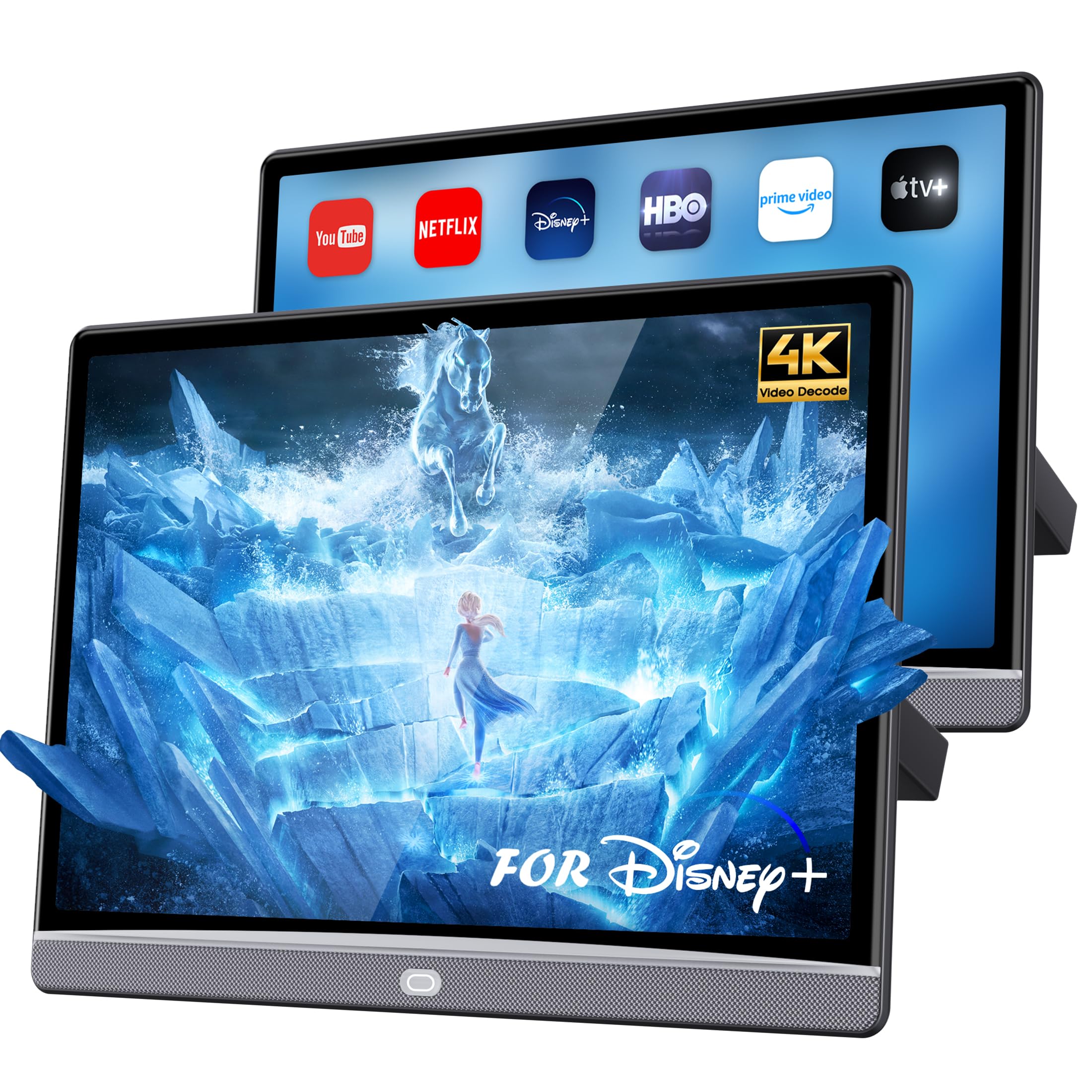
The WONNIE 13.3-inch headrest monitor strikes a careful balance between screen size and cabin space. The 1920×1200 IPS panel has a slightly higher pixel density than the 15.6-inch 1080p screens, resulting in sharper text and more detailed video playback. Running Android 13 with 4GB RAM and 64GB storage, it handles streaming apps from Google Play Store smoothly — no APKPure sideloading required for most popular services like Netflix, YouTube, and Disney+.
What makes this unit particularly family-friendly is the remote control functionality via the MyCar Link app. A parent in the driver’s seat can browse content, start a movie, and adjust volume without touching the rear screen. The built-in stereo speakers deliver theater-like sound with surprising depth, and you can switch to Bluetooth headphones for private listening. The HDMI input accepts gaming consoles, and the USB port supports drives up to 1TB for offline movie libraries.
The main drawback of the 13.3-inch form factor is that in larger SUVs and minivans, the screen can feel small for passengers sitting in the third row. The price is also mid-range — not cheap, but not excessive for a well-specced 4GB headrest monitor. If you prefer a more compact screen that doesn’t dominate the rear cabin and still want 4K playback capability, the WONNIE is an excellent choice.
What works
- 1920×1200 resolution offers great pixel density
- Full Google Play Store access without sideloading
- Remote control from driver’s seat via MyCar Link app
What doesn’t
- 13.3-inch screen feels small in large vehicles
- Price is mid-range, not budget-friendly
- Both screens share same input, limiting independent content
8. Seventour 15.6″ 4K Android.13 Car TV Headrest Monitor (2GB+32GB)

This Seventour variant offers the same huge 15.6-inch 1080p IPS screen and Android 13 operating system as its 4GB sibling, but with 2GB RAM and 32GB storage to keep the price accessible. For families on a tighter budget who primarily use the monitors for streaming video from a mobile hotspot, the 2GB configuration handles YouTube and Netflix without major issues. The universal metal bracket fits nearly every vehicle, and the dual power adapters allow home use as portable tablets.
Real-world owner feedback is generally positive, with users praising the screen quality and ease of installation. One reviewer noted that the units kept cutting off until they disabled the vehicle’s auto-start/stop system — a useful troubleshooting tip for anyone experiencing similar behavior. The FM transmitter function works well for routing audio through the car’s speakers, and the Bluetooth headphone pairing keeps the cabin quiet during long drives.
The 2GB RAM limitation becomes apparent when multitasking. Opening several apps or switching between streaming services can cause loading delays or occasional freezing, and the 32GB storage fills up quickly if you download media for offline use. The lack of OTA update confirmation means you may need to manually check the manufacturer’s website for firmware improvements. Still, for the price, this Seventour delivers an enormous screen and modern Android features that outperform similarly priced alternatives.
What works
- Huge 15.6-inch 1080p IPS screen for back-seat viewing
- Android 13 ensures modern app support
- Universal bracket and dual power adapters included
What doesn’t
- 2GB RAM causes freezing with multiple apps open
- 32GB storage is limited for offline media
- OTA updates not confirmed — may need manual firmware checks
9. Seventour 15.6″ 4K Android Portable Car TV (2GB+32GB, Android 11)
This is the most affordable large-screen headrest monitor in the lineup, using Android 11 instead of Android 13 to keep costs down. The 15.6-inch 1920×1080 IPS screen is identical in size and quality to the newer Seventour models, so you are not sacrificing display real estate. Wireless phone mirroring via AirPlay and Miracast works reliably, and the MyCar Link app provides the same remote control functionality from the driver’s seat as the more expensive versions.
The HDMI input and output ports remain intact, allowing connection of a Fire TV Stick or game console. The FM transmitter streams audio to the car’s factory speakers, and Bluetooth headset support keeps things quiet for the driver. The metal mounting bracket is identical across the Seventour line, fitting 98% of vehicles. The 2GB RAM and 32GB storage are sufficient for casual streaming, and the dual power adapters allow home use.
The trade-off is clear: Android 11 is two major versions behind the current OS, which means some newer apps may not install or run optimally. The user interface feels slightly dated compared to the Android 13 models, and you will likely need to sideload apps via APKPure more frequently. For budget-conscious buyers who just need a big screen for streaming video on road trips, this unit delivers acceptable performance. But for daily use, the extra investment for Android 13 is strongly recommended.
What works
- Same large 15.6-inch screen as pricier models
- HDMI input supports game consoles and streaming sticks
- Universal bracket fits almost any vehicle
What doesn’t
- Android 11 will struggle with newer app versions
- 2GB RAM and 32GB storage limit multitasking
- Interface feels outdated compared to Android 13 models
Hardware & Specs Guide
RAM and App Performance
The single most impactful spec for Android-based auto entertainment systems is RAM. Units with 2GB RAM are sufficient for basic streaming from one app at a time but will stutter or freeze when switching between apps or loading heavy video files. Systems with 4GB RAM provide smooth multitasking, allowing you to run YouTube, maps, and messaging apps simultaneously without lag. Avoid Android-based units with less than 2GB RAM for any use case involving streaming video.
Operating System Version
Android 13 is the current sweet spot for headrest monitors, offering broad app compatibility, OTA update support, and modern UI performance. Android 15 is even better but is currently only available on specific budget-friendly dash monitors. Android 11 is increasingly obsolete — major apps like Netflix and YouTube may eventually drop support. For dash receivers running proprietary OS platforms like Pioneer or JVC, the OS version matters less because all app functionality comes from your smartphone via CarPlay or Android Auto.
FAQ
Can I install a headrest monitor in a car with fixed headrests?
Will a dash receiver with a floating screen block my dashboard vents?
Do I need a mobile hotspot for Android-based headrest monitors?
Final Thoughts: The Verdict
For most buyers, the auto entertainment system winner is the JVC KW-Z1000W because it combines a large 10.1-inch tiltable screen with wireless CarPlay, a professional-grade 13-band equalizer, and a price that sits comfortably between budget and flagship. If you need maximum rear-seat performance, grab the Seventour 15.6″ 4GB headrest monitor for its lag-free Android 13 experience. And for the best value in a dash upgrade, nothing beats the Leadtree 11.5-inch Android 15 unit that gives you the latest OS and a backup camera at a fraction of the premium cost.

Certification: BSc in Mechanical Engineering
Education: Mechanical engineer
Lives In: 539 W Commerce St, Dallas, TX 75208, USA
Md Amir is an auto mechanic student and writer with over half a decade of experience in the automotive field. He has worked with top automotive brands such as Lexus, Quantum, and also owns two automotive blogs autocarneed.com and taxiwiz.com.